
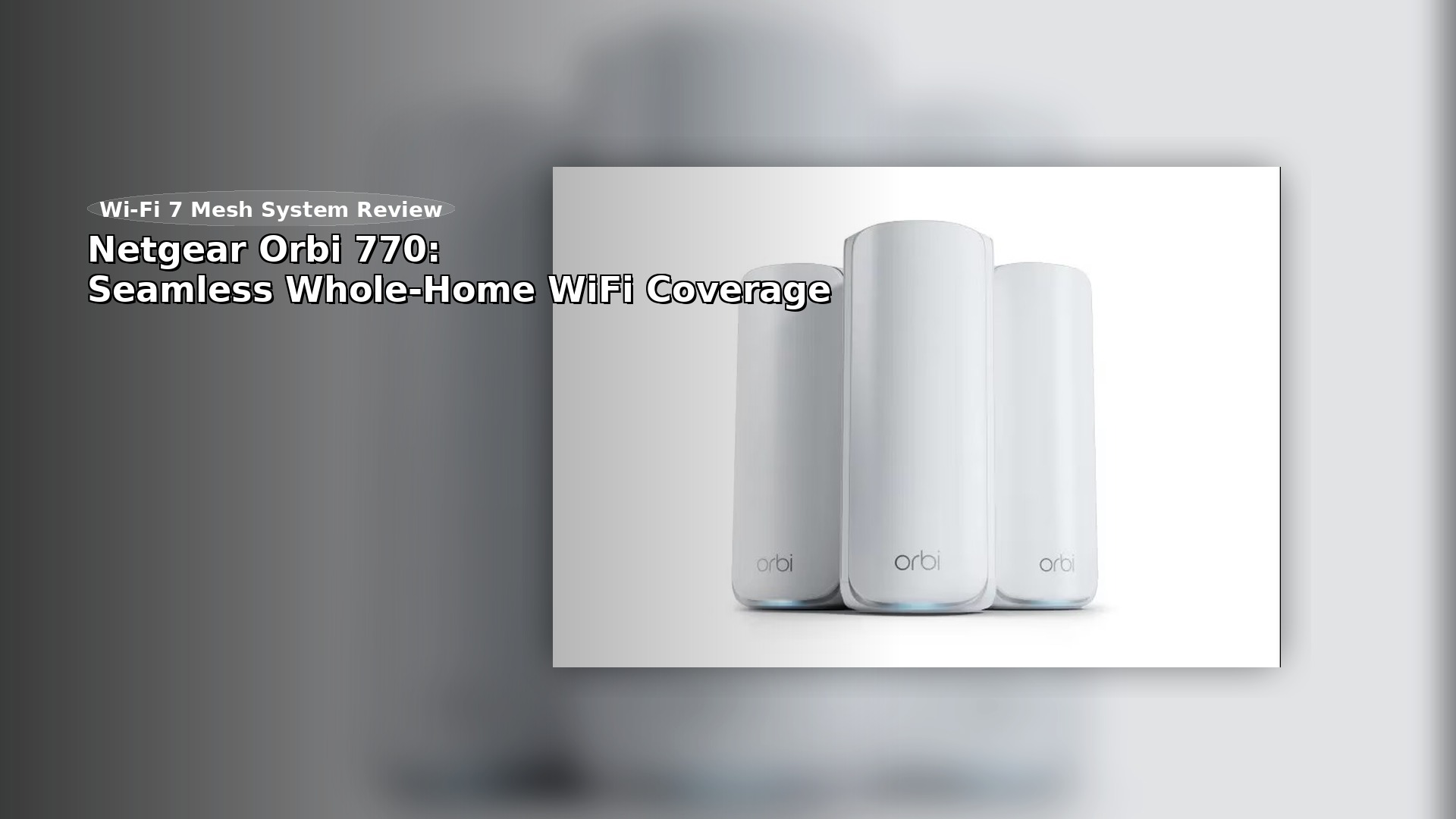
What if you could get next-generation Wi-Fi performance without paying a next-generation premium price? That’s the bold promise behind the latest mesh system designed to cover your entire property.
This new setup is a more affordable way to try Wi-Fi 7. It costs much less than the top model but still gives you the latest wireless technology.
This system stands out because it’s the first tri-band model in years that doesn’t reserve one band only for unit-to-unit communication. All three wireless bands are open for your devices to use.
Here’s what you get with the hardware: a plastic build, several 2.5 Gbps Ethernet ports, but no 10 Gbps ports or USB connections. The security trial is also shorter than what some other brands include.
The main thing to consider isn’t just the specs. It’s whether this system gives your home a smooth, hassle-free experience at a fair price.
🛒 Curious if Wi-Fi 7 pricing finally makes sense? Check the latest Orbi 770 deals here →
Key Takeaways
- The Netgear Orbi 770 is a Wi-Fi 7 mesh system offered at a substantially reduced price compared to flagship models.
- It features a unique tri-band design that makes all bands available to client devices, not just backhaul.
- The hardware includes 2.5 Gbps ports but omits higher-end features like 10 Gbps ports and USB connectivity.
- Coverage is extensive, with a two-pack system designed for homes up to 4,500 square feet.
- This review will assess real-world performance to determine if the value proposition holds up.
Product Overview and Key Features
Let’s take a closer look at the hardware and see what you get for your money. This system focuses on function rather than looks, which is clear as soon as you open the box.
Design and Build Quality
The design is simple and practical. The tall, matte white plastic towers are almost ten inches high. They may not stand out, but they fit in just fine.
The build quality is good for the price. The plastic feels sturdy enough for long-term use. It doesn’t have the heavy feel or metal parts of more expensive systems, but it should last.
Now, let’s talk about the ports. This is where the value shines. The main router has one 2.5 Gbps WAN port and three 2.5 Gbps LAN ports. Each satellite offers two more 2.5 Gbps LAN ports.
Stay Connected Anywhere with Our Favorite Portable WiFi Mobile Hotspot!
Experience seamless connectivity on-the-go with our portable WiFi mobile hotspot. Stay connected with high-speed internet wherever you are.
Stay connected on-the-go! Get your portable WiFi mobile hotspot today and enjoy reliable internet wherever you travel.
This setup is great for connecting devices with cables throughout your home. The 2.5 Gbps ports mean your connections can go up to 2.5 Gbps. There are no USB ports for storage or printers, though.
⚡ Want fast wired performance too? See the Orbi 770’s 2.5 Gbps port setup + current price →
Internal Hardware and Specs
Inside, the hardware is designed to be efficient. It’s a tri-band system with a quad-core 1.5GHz CPU and 2GB of RAM. These specs are modest but should be enough for most homes.
The radio specs are broken down into three bands. You get speeds up to 688 Mbps on 2.4 GHz, 4,324 Mbps on 5 GHz, and 5,765 Mbps on 6 GHz. This uses a mid-tier 2×2 antenna configuration.
A big plus is that the units run quietly and stay cool, with no fans. They use about half the power of top models, which can save you money on your electric bill.
Deep Dive: Netgear Orbi 770 WiFi Performance
Performance tests show how this mesh system handles the needs of today’s homes. Let’s look at how it works in real life, not just on paper.

Wireless Speed, Range, and Band Utilization
The 6 GHz band delivered fast speeds of 1.65 Gbps up close and 1.1 Gbps at 25 feet. These speeds are incredible for smooth streaming and gaming. On the 5 GHz band, speeds reached 1.1 Gbps nearby and 554 Mbps at a distance. The 2.4 GHz frequency handled IoT devices adequately but showed limitations under heavy load.
Each unit covers about 2,000 to 2,500 square feet. Adding satellites helps spread coverage across bigger homes.
Handling Congested Traffic and iPerf Test Results
Under simulated busy household conditions, the system maintained solid performance. The 6 GHz band dropped to 1.2 Gbps at close range and 912 Mbps at distance during congestion.
The 5 GHz frequency showed minimal degradation under load. This consistent connection quality separates capable systems from basic ones.
Wireless satellite speeds averaged around 832 Mbps on 6 GHz. While halved from a direct router connection, this remains usable for most applications.
Ping times stayed low at 16 ms across bands. The system passed multi-day stress tests without disconnections, proving reliable for daily use.
Installation and Setup Experience
The initial setup experience often determines if a network product becomes a favorite or a hassle. Setting up the Orbi 770 gives you two main options, each with its own pros and cons. Both methods begin the same way. Connect your primary router to the modem using the included Ethernet cable. Power everything on, and you’re ready to choose your setup approach.
Using the Orbi App for Quick Setup
The mobile app makes setup easy for most people. It guides you step by step, and the system automatically finds your internet connection and any satellites.
A helpful feature is device identification. The app shows most devices by name instead of confusing codes, making it much easier to manage your network.
However, you’ll need to create an account with the manufacturer to use the app. Your network data goes through their servers, which may be a privacy concern for some people.
Advanced Web Browser Configuration
If you want more control, the web interface gives you more settings. Just go to orbilogin.com or 192.168.1.1 in your browser.
You’ll find more detailed network settings here than in the app, but the experience isn’t as smooth. The manufacturer also keeps suggesting you switch to the app during setup.

The hardware units come pre-synced from the factory. This means satellites automatically join your network when powered on. No individual configuration is needed for additional units.
Software, Security, and Network Management
Security subscriptions and network management tools represent an ongoing relationship with your router manufacturer. This is where you’ll discover what features come standard versus what requires additional payments.
Netgear Armor Trial and Security Features
The security situation feels disappointingly limited. You get just 30 days of protection instead of the full year included with pricier models.
This subscription promises network-wide protection against various threats. After the trial ends, you’ll pay annually to maintain that security layer.
Parental controls are also locked behind subscription paywalls. Many competing systems include these features as standard without extra fees.
Firmware Updates and User Interface Insights
The web interface hasn’t changed significantly in years. The Basic tab offers simple configuration tiles for everyday tasks.
Technical users will appreciate the Advanced tab’s comprehensive controls. You get access to port forwarding, VPN settings, and Dynamic DNS configuration.
Since mid-2021, web-based remote access is no longer available. You cannot securely access your router’s admin interface from outside your home network.
Using the mobile app involves privacy considerations. Your network data passes through manufacturer servers subject to their privacy policy.
Comparative Analysis: Orbi 770 vs. Competing Mesh Systems
The true value of a networking system becomes clear when you see how it compares to both higher-end alternatives and competing solutions. Let’s examine where this model fits in the broader market landscape.
Feature Comparison with the Orbi 970 Series
Choosing this system over its premium sibling saves you approximately $1,000. You sacrifice 10 Gbps ports and a faster processor, but gain significant power efficiency.
The hardware consumes about half the electricity of flagship models. This translates to real annual savings on your utility bill.
All three wireless bands serve your devices instead of locking one for backhaul. This flexible approach maximizes available bandwidth for modern homes.
Compatibility with Legacy Devices and Network Flexibility
You’ll encounter connectivity issues with older equipment. The system requires WPA2 or higher encryption by default.
Legacy devices like early smart home gadgets or older phones may not connect to the main network. They’ll need to use the separate IoT or Guest SSIDs.
Compared to competitors, this solution offers fewer customization options. You cannot create separate SSIDs for different bands or adjust 6GHz settings independently.
The lack of USB ports means no network storage or printer sharing. This is a genuine limitation when similar-priced alternatives include this functionality.
For homes with modern devices and standard internet speeds, this represents reasonable value. However, households with numerous legacy gadgets should consider systems with more configuration flexibility.
Conclusion
So where does this leave you in your decision-making process? This mesh system delivers solid performance and impressive coverage for most homes. You’ll get strong, consistent speeds that handle modern internet demands with ease.
The setup is straightforward, and the hardware operates silently. The useful 2.5 Gbps ports are a practical advantage for wired devices.
However, there are meaningful compromises. The limited security trial and lack of USB ports are notable. Some older gadgets might have connection issues.
Is it worth the investment? For households with modern needs, it’s a capable router system. If your current Wi-Fi is truly problematic, it’s a strong option. But if you’re happy with a recent setup, waiting might be the smarter financial move.
The final verdict is one of balanced value. It brings next-gen Wi-Fi to your home reliably, but it’s not a must-have upgrade for everyone.
FAQ
How does the mesh system improve my home network coverage?
The mesh system uses multiple units, called satellites, to create a single, seamless network. This eliminates dead zones by extending the strong signal throughout your entire home, providing consistent performance.
What is the benefit of having 2.5 Gbps LAN ports on this hardware?
These high-speed ports are perfect for connecting devices like a gaming console or a NAS (Network Attached Storage) that can use the extra bandwidth. They ensure a fast, wired connection that won’t bottleneck your internet speed.
Is the setup process difficult for someone who isn’t tech-savvy?
Not at all. The companion app guides you through the entire setup step-by-step. It’s designed to be very user-friendly, making it easy to get your new network running in just a few minutes.
Will this system work with my older devices that only use the 2.4 GHz band?
A>Yes, absolutely. The system is fully backward compatible. It automatically supports legacy devices that operate on the 2.4 GHz band, ensuring all your gadgets can connect without any issues.
What kind of security features are included with the system?
The hardware comes with robust built-in security to protect your network. There is also typically an optional subscription service, like Netgear Armor, which offers advanced threat protection for an additional layer of safety.
How far can the signal realistically reach in a typical house?
Performance can vary based on building materials, but in testing, a single router unit often provides a strong signal across a medium-sized home. Adding satellites can easily extend that reliable connection to over 5,000 square feet.